
I almost left my DJI Mini 4 Pro in the bag on our third day in Norway. The wind was picking up, the light was fading fast, and I was not sure I had the right setup to fly safely. Linda was already heading back down the trail. I stood there for a moment, looked at the fjord below, and went for it anyway. That flight taught me something important — the drone is incredible but without the right DJI Mini 4 Pro accessories around it, you are always one bad situation away from a costly mistake.
After that trip I got serious about what actually helps in the field. I tested everything across multiple trips — bright sunny days, cloudy mountain mornings, and a few conditions I probably should not have been flying in at all. This guide covers the DJI Mini 4 Pro accessories I genuinely could not fly without anymore. Real experience, honest opinions, nothing I have not personally used on an actual trip.
Table of Contents
Why DJI Mini 4 Pro Accessories Matter
Many users assume that because the Mini 4 Pro is a highly capable drone, they do not need to spend more on gear. This is a common mistake. In my opinin relevant accessories and gears make DJI mini Pro much more capable.
There are many reasons why accssesories matter : I got top thre reasons of using accessesories
- Protection and Safety: Drones are fragile instruments. A single scratch on a lens or a warped propeller blade can ruin a shoot or cause an unexpected crash.
- Creative Control: The Mini 4 Pro has a fixed f/1.7 aperture. Without optical tools to manage light, shooting smooth, cinematic video in broad daylight is physically impossible.
- Operational Efficiency: Extra power, organized carrying solutions, and rapid charging systems keep you in the air longer, reducing downtime during critical golden hour shoots.
Adding accessories to a sub-249g drone requires careful consideration. In many reviews adding weight that pushes the takeoff mass over 249 grams subjects the drone to stricter regulations. I will show how specific accessories makes DJI mini pro 4 more capable.
Essential Accessories Comparison Table
In the table below, I’ll introduce the most important DJI Mini 4 Pro accessories, explain what each one is used for, and why it’s worth buying.
| Accessory | Importance | Best For | Priority |
|---|---|---|---|
| Intelligent Flight Battery | Critical | Extending flight times | High |
| ND Filters Set | Essential | Cinematography & shutter control | High |
| Hard Carrying Case | Essential | Safe transport & storage | High |
| High-Speed microSD Card | Critical | 4K/60fps video write speeds | High |
| Bidirectional Charging Hub | Recommended | Charging multiple batteries sequentially | Medium |
| Foldable Landing Pad | Recommended | Dusty, sandy, or grassy launch sites | Medium |
| Controller Lanyard | Recommended | Fatigue reduction & drop prevention | Medium |
| Propeller Holder | Recommended | Blade protection during transport | Medium |
| Tempered Glass Screen Protector | Optional | DJI RC 2 screen protection | Low |
| Sun Hood | Optional | High-glare outdoor viewing | Low |
Essential DJI Mini 4 Pro Accessories
I always maintain my personal policy. That is Zero tolerance for my gadgets and their accssesories. The right accessories can improve your flying experience, protect your drone, and help you capture better photos and videos. DJI Mini 4 Pro accessories that every user should consider, whether you’re a beginner, traveler, or experienced creator. These accessories help you fly longer, shoot smoother footage, and keep your drone safe wherever you go.
Best DJI Mini 4 Pro Accessories: Keep your DJI Mini safe with this protective case! It's waterproof and fits all your essentials.
Extra Batteries
I always carry an extra DJI Mini 4 Pro Intelligent Flight Battery when I travel. It has a 2,590 mAh capacity and takes about 58–70 minutes to charge. DJI rates it for up to 34 minutes of flight time, but in real-world conditions—such as wind, return-to-home reserve, and hovering—you can usually expect 22 to 25 minutes of usable flight time per battery. If you are hiking to a remote viewpoint, filming a fast-moving sunset, or waiting for the perfect shot, one battery is rarely enough. Carrying a spare battery gives you more flying time and reduces the stress of running out of power before capturing the footage you want.
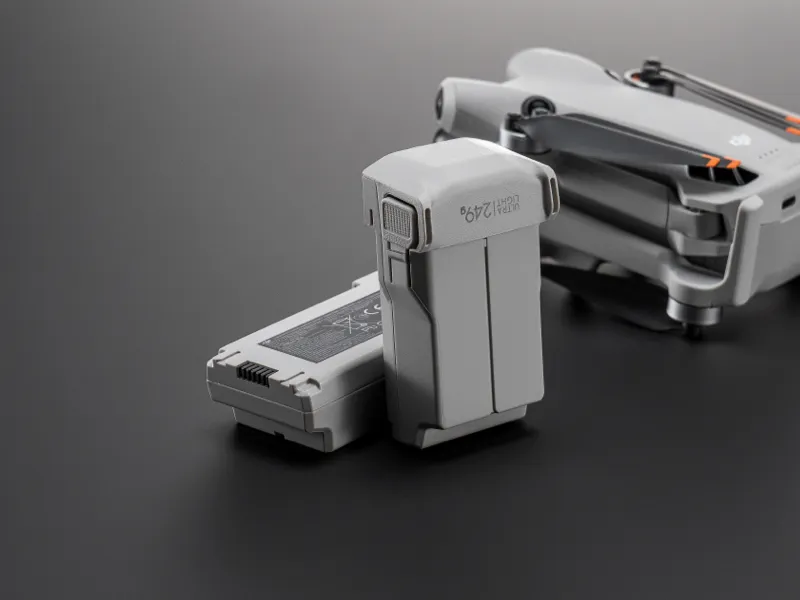
Best DJI Mini 4 Pro Batteries: This battery is a game changer for my flying sessions!
DJI Mini 4 Pro Intelligent Flight Battery Specifications
| Feature | Specification |
|---|---|
| Battery Type | Lithium-Ion |
| Battery Capacity | 2,590 mAh |
| Battery Voltage | 8.6 V |
| Reusability | Rechargeable |
| Battery Weight | 80 g (0.08 kg) |
| Charging Time | Approximately 58–70 minutes |
| Rated Flight Time | Up to 34 minutes |
| Real-World Flight Time | Approximately 22–25 minutes |
| Compatible Device | DJI Mini 4 Pro |
| Item Dimensions | 9.1 × 9.1 × 9.1 inches |
| Unit Count | 1 Battery |
| Antenna Location | Drone |
DJI Mini 4 Pro Battery Options Comparison
| Feature | Intelligent Flight Battery (Standard) | Intelligent Flight Battery Plus |
|---|---|---|
| Rated Flight Time | Up to 34 minutes | Up to 47 minutes |
| Typical Real-World Flight Time | 22–25 minutes | 33–38 minutes |
| Battery Weight | ~77.9 g | ~121 g |
| Drone Takeoff Weight | Under 249 g | Over 249 g |
| Regulatory Impact | No additional registration required in many regions* | May require registration depending on local regulations |
| Best For | Everyday travel and recreational flying | Extended filming sessions and professional work |
- Why it matters: Extra batteries mean more time to scout locations, adjust your camera settings, and execute complex shots without worrying about low-battery warnings.
- Who should buy it: Anyone planning to fly for more than 20 minutes per outing.
- When you actually need it: On long shooting days, when hiking, or when capturing multi-angle real estate and landscape footage.
- Essential or Optional: Essential.
Pros:
- Genuine DJI batteries communicate flawlessly with the drone’s firmware.
- The “Plus” batteries offer an exceptional 47-minute flight time.
- Highly reliable power output even in cold weather.
Cons:
- The Intelligent Flight Battery Plus pushes the drone’s weight over 249g, requiring FAA registration in the United States and limiting operations in certain European categories.
- OEM batteries are relatively expensive.
Battery Charging Hub
Among all the DJI Mini 4 Pro accessories, I consider the Battery Charging Hub one of the most important. Once you own two or more batteries, charging each one individually inside the drone becomes slow and inconvenient. The charging hub lets you charge multiple batteries in sequence with a single USB-C cable, saving time and reducing hassle. I always carry one when I travel because it keeps my batteries organized and ready for the next flight without needing to swap them manually.
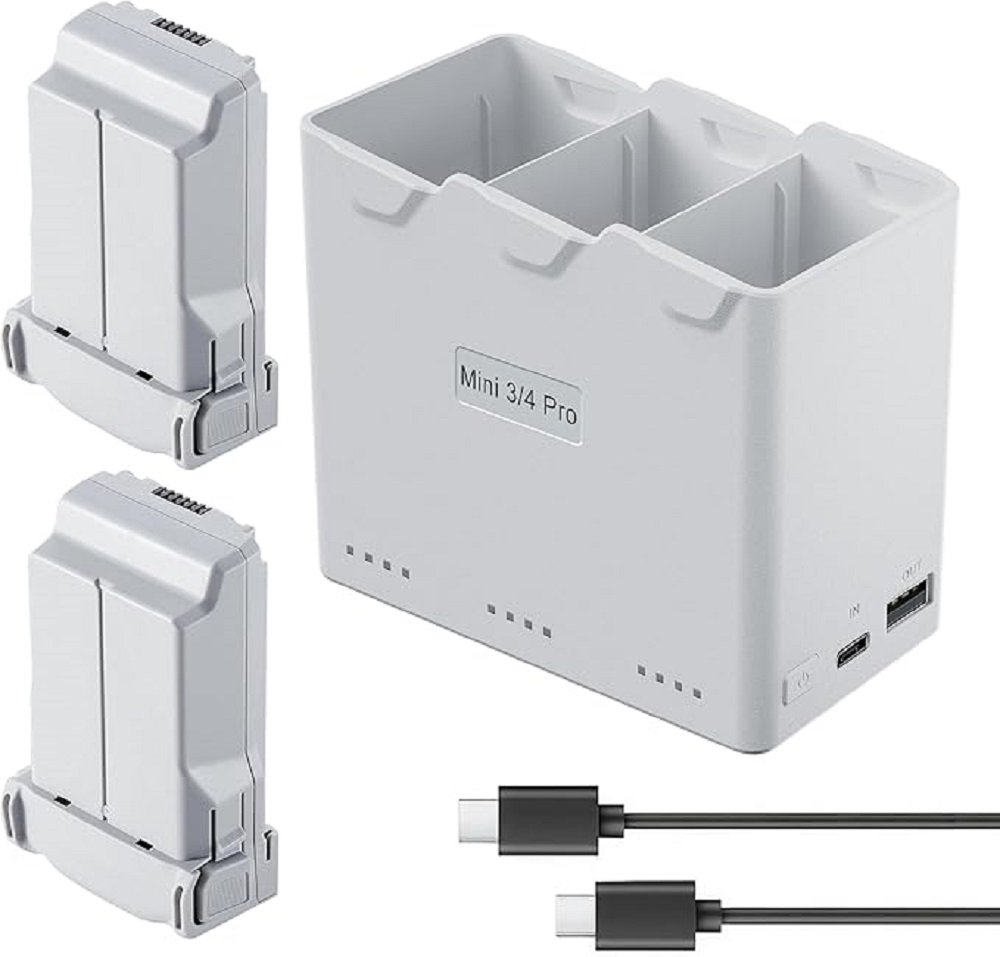
Upgrade your flight time with this battery Charging Hub! Perfect for longer sessions!
- What it is: A three-channel charging bay that charges your batteries sequentially based on their remaining power levels, focusing first on the battery with the highest charge to get you back in the air quickly.
- Why it matters: It serves as an organized storage block and charges three batteries automatically without requiring manual swaps. It also features a bidirectional USB-A port, allowing you to use your drone batteries as a power bank to charge your RC 2 controller or smartphone.
- Who should buy it: Drone Pilots with two or more batteries.
- When you actually need it: When prepping for a day of shooting or when keeping your gear organized in a backpack.
- Essential or Optional: Essential if you own multiple batteries.
Pros:
- Sequential charging is safer and more efficient than multi-channel parallel charging.
- Serves as a portable power bank in emergency scenarios.
- Compact, lightweight design.
Cons:
- Does not charge all three batteries simultaneously; it charges them one after another.
- Does not ship with a USB-C wall brick (requires a separate 30W+ PD charger).
ND Filters
The Mini 4 Pro features a fast, fixed f/1.7 aperture. On bright, sunny days, the camera is flooded with light. To maintain a natural-looking shutter speed (using the 180-degree shutter rule, which requires your shutter speed to be double your frame rate), you need a way to limit the light entering the lens.
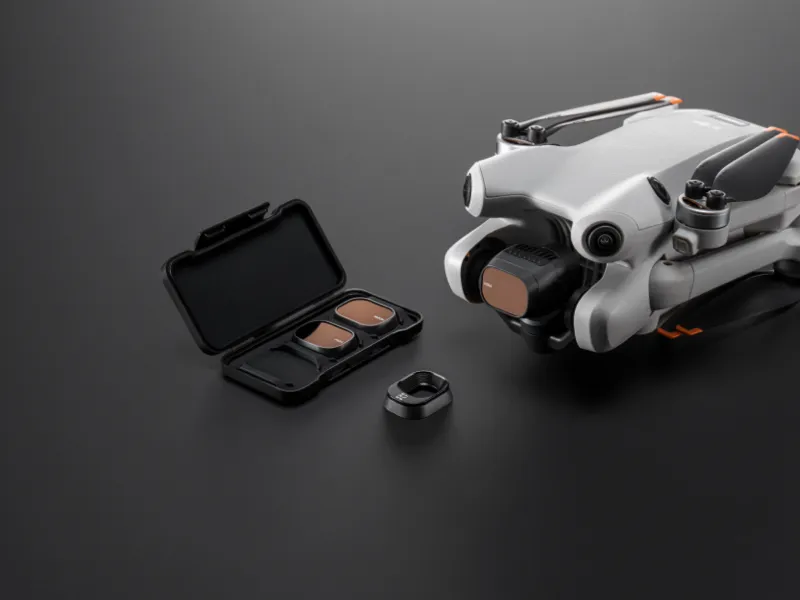
Must have set for my DJI Mini 4 Pro drone! These ND filters are a game-changer for clear, sharp footage.- What it is: Optical glass filters that snap onto the camera snout. They act like sunglasses for your drone’s camera lens. Common sets include ND16, ND64, and ND256, alongside Polarizing (PL) options.
- Why it matters: ND filters allow you to drop your shutter speed to cinematic levels (e.g., 1/50s when shooting at 24fps). This introduces natural motion blur, which makes your video look cinematic rather than choppy.
- Who should buy it: Videographers, filmmakers, and landscape photographers.
- When you actually need it: Whenever shooting outdoors during daylight hours.
- Essential or Optional: Essential for video creators; optional for casual hobbyists who only shoot photos.
Pros:
- Enables cinematic motion blur.
- Reduces glare and reflections when using polarized variants (ND/PL).
- Protects the physical camera lens from dust and scratches.
Cons:
- Cheap filters can introduce unwanted color casts (magenta or green tints).
- Requires landing the drone to swap filters manually when lighting conditions change.
Carrying Case
I once tossed my drone into my backpack without a case. By the time we reached the viewpoint the gimbal was knocked out of position. An expensive lesson.Without a proper case you risk damaging the gimbal, bending the propellers, and ruining your shoot before it even starts. Do not skip this one.
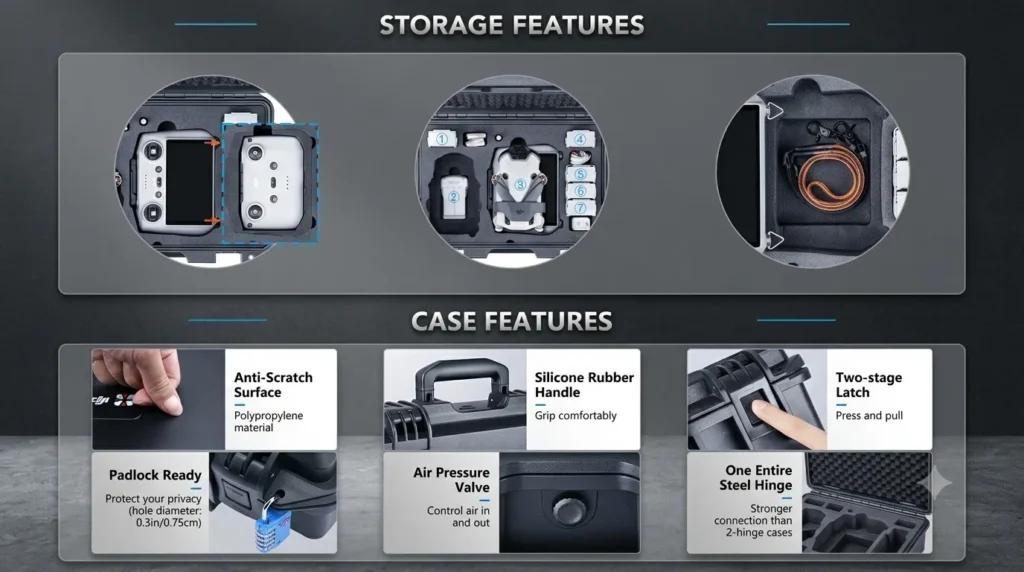
This case will keep your drone safe and sound. A must-have for any drone owner!- What it is: A hard-shell case with custom-cut EVA foam compartments designed to snuggly hold the Mini 4 Pro, the DJI RC 2 (or RC-N2), multiple batteries, charging hub, spare props, and cables.
- Why it matters: Hard cases offer high-impact protection, water resistance, and pressure equalization valves. They protect your investment from drops, heavy rain, and physical crushing.
- Who should buy it: Travelers, hikers, and anyone who stores their drone in vehicle trunks or checks luggage.
- When you actually need it: During transport, outdoor expeditions, and long-term storage.
- Essential or Optional: Essential.
Pros:
- Provides robust drop and crush protection.
- Excellent water, dust, and moisture seals.
- Keeps all small accessories organized in one place.
Cons:
- Adds physical bulk and weight to your gear setup.
- More expensive than soft canvas pouches.
Shoulder Bag
Hard cases are great but sometimes you just want to move fast and light. Linda actually suggested the shoulder bag on one of our busier city days and she was right — it was so much easier to carry around.
A dedicated soft shoulder bag keeps everything organized and accessible without the bulk. Perfect for travel days when you are moving between locations and need your drone ready quickly.
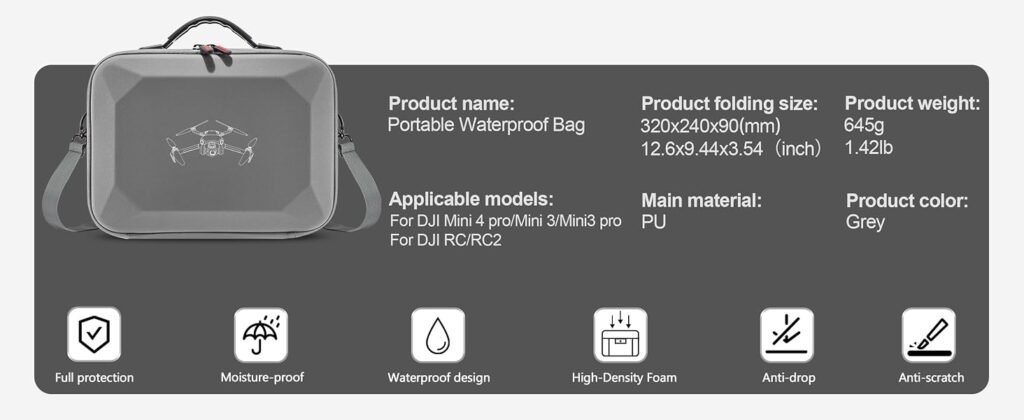
Check out this Shoulder bag for your DJI Mini 4 Pro! It's perfect for travel.- What it is: A padded, compact sling bag designed specifically to hold the drone, a controller, and basic power accessories close to your body.
- Why it matters: It offers rapid access to your gear. You can slide the bag to your front, zip it open, launch the drone, and pack it away without needing to set a hard case down on wet ground or mud.
- Who should buy it: Street photographers, casual day hikers, and run-and-gun videographers.
- When you actually need it: On quick city walks, short hikes, or casual day trips.
- Essential or Optional: Recommended alternative to a hard case.
Pros:
- Lightweight and highly portable.
- Quick-draw access to the drone.
- Blends in as a normal daypack.
Cons:
- Does not offer crush protection against heavy impact.
- Limited storage space for larger secondary items.
Landing Pad
The Mini 4 Pro sits low to the ground. Its props rotate only a couple of inches above the surface, and its downward-facing visual sensors are exposed to the ground.
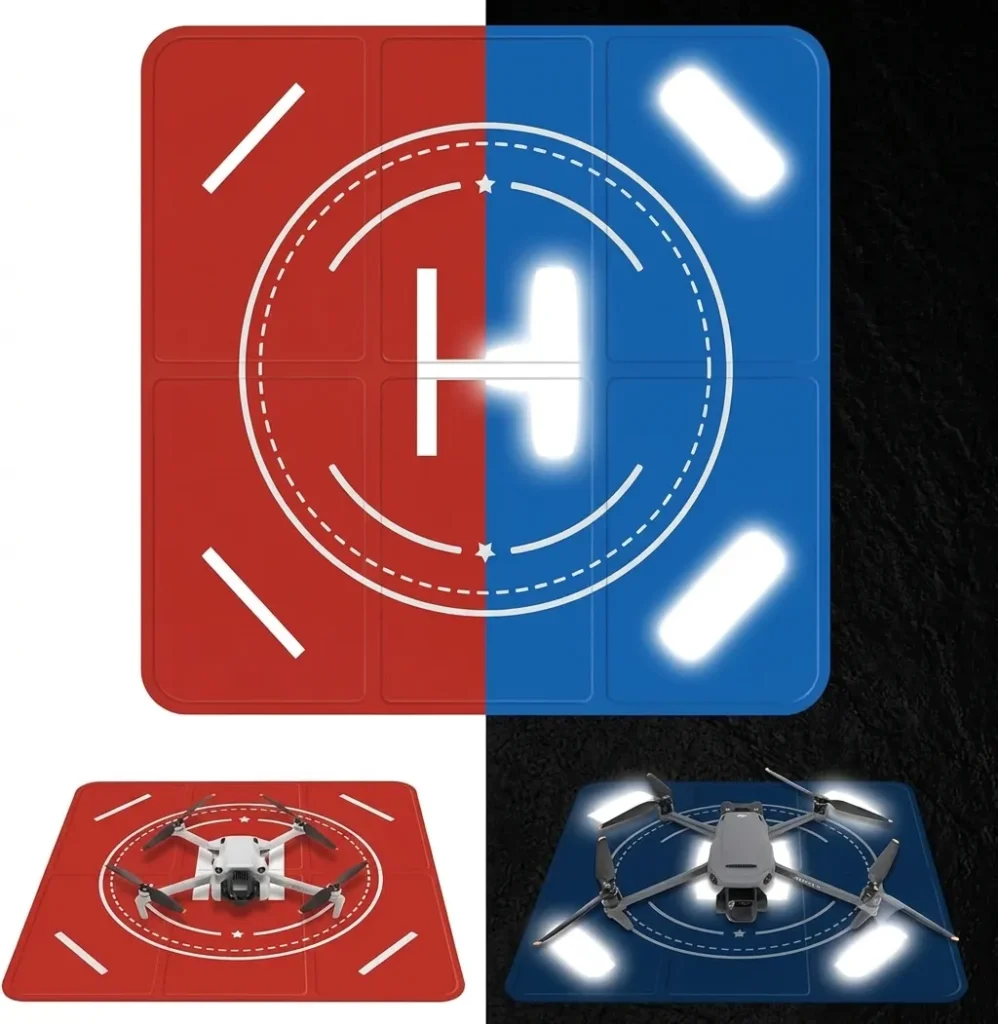
This Landing pad perfect for flying your drone in the dark.- What it is: A weighted, spring-steel or rubber folding pad, typically double-sided with high-visibility colors (orange/blue), used as a dedicated launch and landing platform.
- Why it matters: Launching from grass can warp blades, while landing on sand or dust can kick up debris that gets inside the brushless motors or scratches the bottom camera sensors. A landing pad ensures a clean takeoff and landing environment.
- Who should buy it: Anyone who frequently flies in parks, beaches, deserts, or gravel-heavy spaces.
- When you actually need it: When operating in tall grass, loose dirt, sand, snow, or mud.
- Essential or Optional: Recommended.
Pros:
- Protects internal brushless motor bells from grit and dust.
- Provides a high-contrast visual target for the drone’s Return-to-Home (RTH) camera system.
- Folds down into a small, transportable disc.
Cons:
- Can catch the wind and catch flight if not securely pinned down.
- Adds another step to the deployment process.
Spare Propellers
Propellers spin at thousands of revolutions per minute. The slightest nick, bend, or hairline fracture in a blade can cause extreme vibrations, flight instability, or catastrophic mid-air failures.
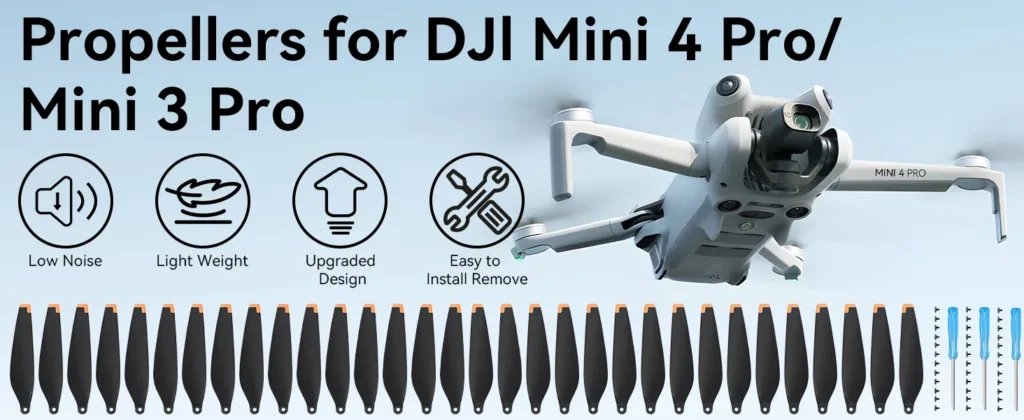
New drone blades are here! Great for those long flying days.- What it is: Replacement plastic blades that mount to the motor bells with small screws.
- Why it matters: The Mini 4 Pro uses flexible, low-noise propellers that wear down over time or get damaged when coming into contact with leaves, twigs, or storage cases. Having fresh, balanced spares keeps your drone flying safely.
- Who should buy it: Every single drone pilot.
- When you actually need it: Immediately after any minor collision, or after 30-50 hours of total flight time as preventative maintenance.
- Essential or Optional: Essential.
Pros:
- Inexpensive life-insurance for your drone.
- Easy to replace with the included screwdriver.
- Restores flight efficiency and reduces high-pitched motor whine.
Cons:
- Requires careful installation and proper screw torque to prevent motor damage.
Propeller Holder
When folding the Mini 4 Pro, the long propeller blades swing freely. It is easy for them to snag on your pocket, bag lining, or case divider, which can bend the blades out of their aerodynamic shape.
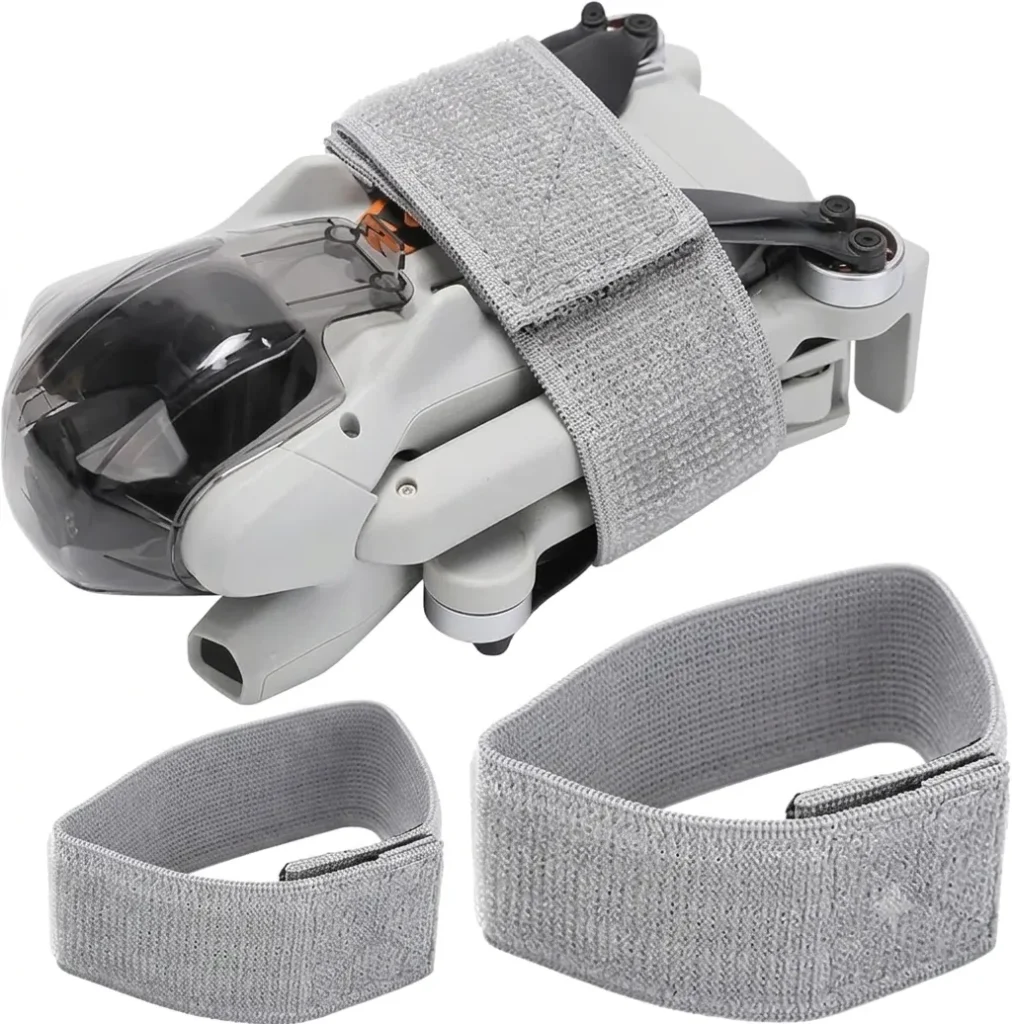
Keep your drone's blades safe and secure with this elastic propeller holder strap.- What it is: A custom-fit silicone strap or plastic clasp that wraps around the folded drone body, keeping the upper and lower propeller blades locked flat against the chassis.
- Why it matters: It prevents the blades from warping during storage and transport. Even a slight bend in a prop blade can cause motor vibration, which reduces battery efficiency and ruins video stability.
- Who should buy it: Anyone who doesn’t use a highly structured hard-cut foam case.
- When you actually need it: Every time you fold the drone and slide it into a bag or pocket.
- Essential or Optional: Recommended.
Pros:
- Extremely cheap and lightweight.
- Guarantees props won’t get bent or broken in transport.
- Quick to install and remove.
Cons:
- Adds a step to your setup and packing routine.
- Can easily be misplaced when off the drone.
Screen Protector
The DJI RC 2 controller features a built-in 5.5-inch FHD screen. Just like your smartphone, this display is prone to scratches, micro-abrasions, and cracks if dropped.
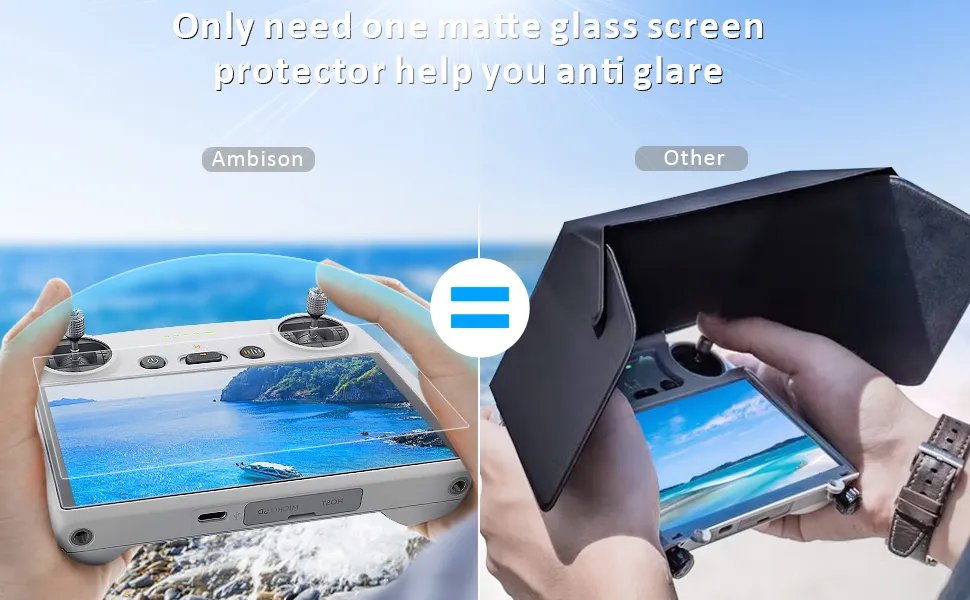
Keep your screen smooth and glare-free! These protectors are perfect for all your DJI needs.- What it is: A sheet of tempered glass (typically 9H hardness) cut to the dimensions of the RC 2 screen.
- Why it matters: Replacing the integrated screen on the DJI RC 2 is a costly, time-consuming repair process. A cheap glass protector absorbs direct impact, shielding the expensive touch display.
- Who should buy it: Pilots using the DJI RC 2 controller.
- When you actually need it: From day one of unboxing your controller.
- Essential or Optional: Recommended.
Pros:
- Protects against deep scratches from keys, zippers, and sand.
- Does not interfere with touch screen responsiveness.
- Relatively cheap.
Cons:
- Can slightly increase glare on cheap, non-polarized protector models.
- Requires precise installation to avoid dust bubbles.
Tablet Holder
The basic RC-N2 controller uses your smartphone as the main screen. For some pilots, a 6-inch phone display is too small to spot power lines, thin branches, or composition details.
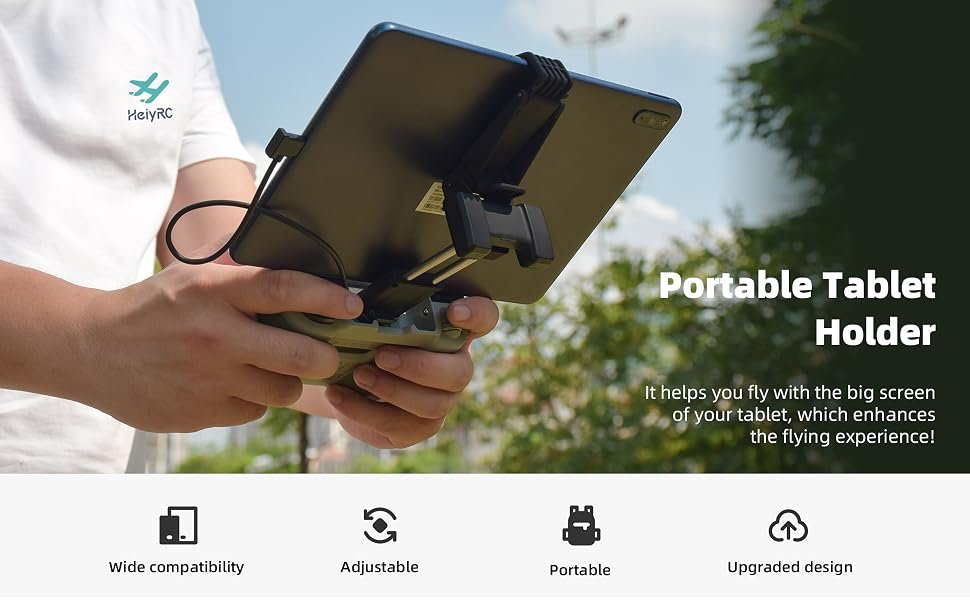
This mount makes my tablet a breeze to use with my DJI drone!- What it is: An adjustable aluminum or plastic mounting arm that clamps into the RC-N2 controller, extending upward to hold a larger tablet (like an iPad Mini or iPad Pro).
- Why it matters: A larger screen makes it easier to spot small obstacles, check image focus, and read telemetry data in bright conditions.
- Who should buy it: Pilots who use the RC-N2 controller and prefer a larger viewing screen.
- When you actually need it: For detailed commercial inspections or framing up complex landscape compositions.
- Essential or Optional: Optional.
Pros:
- Provides a large, clear view of the DJI Fly App interface.
- Typically made of durable, stable aluminum alloys.
Cons:
- Adds significant weight to the controller setup, leading to hand fatigue.
- Requires a longer USB-C to USB-C connection cable.
Lanyard
Holding the DJI RC 2 controller for multiple flights can cause wrist and hand strain, especially during long filming sessions.
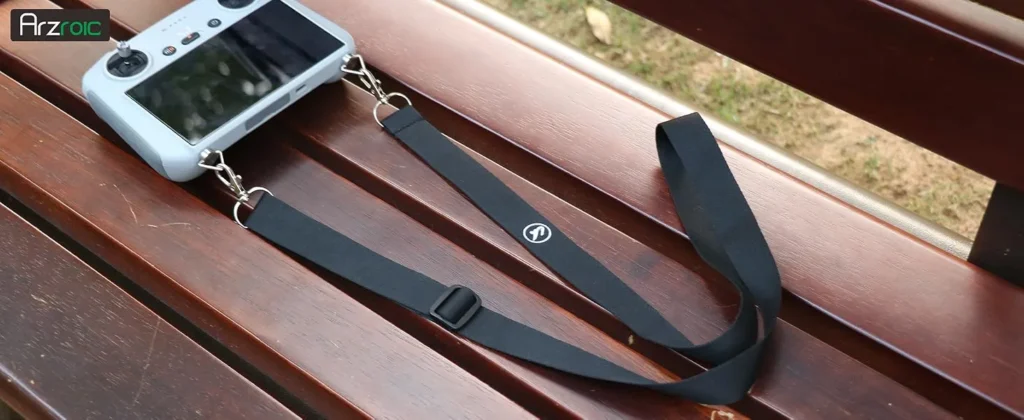
New lanyard neck strap keeps my controller close and safe while flying!- What it is: A padded neck strap or shoulder harness that connects to the controller via mounting screws or brackets.
- Why it matters: A lanyard takes the weight of the controller off your wrists. It also prevents you from dropping the controller if you slip on rocks, need to use your hands to check a map, or need to quickly catch your landing drone.
- Who should buy it: Hikers, commercial pilots, and anyone who flies for multiple hours at a time.
- When you actually need it: During long shooting days or when operating on uneven, slippery terrain.
- Essential or Optional: Recommended.
Pros:
- Reduces fatigue during extended flights.
- Protects the controller from drop damage.
- Allows you to let go of the controller to adjust other gear safely.
Cons:
- Requires screwing mounts into the base of the controller.
- Can get tangled with other gear if not kept organized.
Memory Cards
The Mini 4 Pro shoots 4K video at 100 Mbps. If your memory card’s write speed is too slow, your video recording will stop randomly, drop frames, or fail to save entirely.
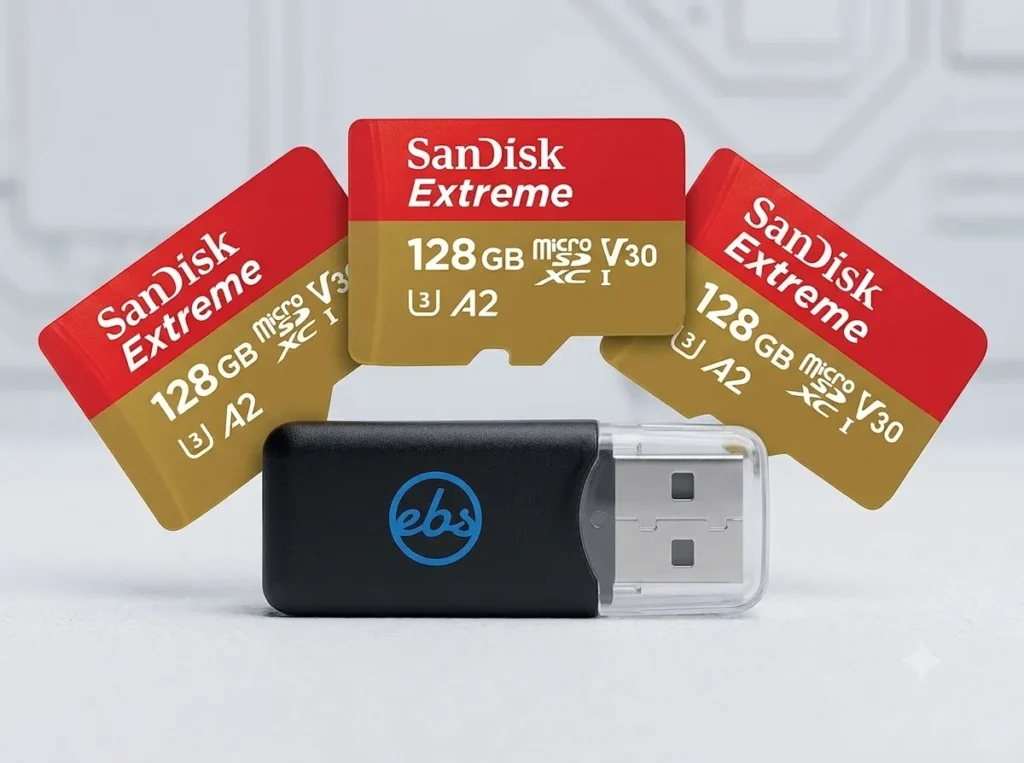
Boost your device storage with these high-speed SD cards. Perfect for all your memory needs.- What it is: High-speed microSD cards rated at UHS-I Speed Class 3 (U3) and Video Speed Class 30 (V30) or higher.
- Why it matters: To reliably capture massive 4K/60fps files without data corruption, your storage media must keep up with the camera’s high bitrate. Recommended brands include the SanDisk Extreme series and Samsung PRO Plus.
- Who should buy it: Every pilot.
- When you actually need it: Every time you turn on the drone to shoot photo or video.
- Essential or Optional: Essential.
Pros:
- Prevents write-speed errors and corrupted video files.
- Fast transfer speeds when moving footage to your computer.
- Reliable storage in varying outdoor temperatures.
Cons:
- High-performance cards cost more than standard cards.
- Easy to lose due to their tiny physical footprint.
Cleaning Kit
The Mini 4 Pro’s small lens glass, obstacle avoidance camera sensors, and cooling intake vents are continuously exposed to dust, pollen, and fingerprints.
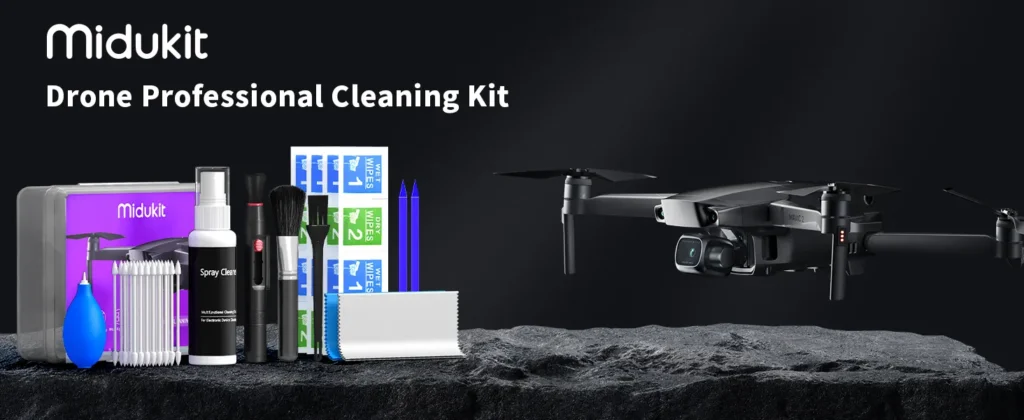
This drone cleaning kit is perfect for keeping your drone lenses and screen in top shape!- What it is: A kit containing a non-abrasive optical cleaning solution, microfiber cloths, a dust-blower bulb, and a soft-bristled lens brush.
- Why it matters: Smudges on the lens cause soft, hazy images and ugly light flares. Dust on the obstacle-sensing cameras can trigger false collision warnings, causing the drone to stop moving or fly erratically.
- Who should buy it: Anyone who wants to keep their sensor array functioning properly.
- When you actually need it: After flying near salt spray, beaches, dusty farm fields, or humid forests.
- Essential or Optional: Recommended.
Pros:
- Keeps cameras and sensors clean and reliable.
- Extends the lifespan of the optical coatings.
- Lightweight enough to slip into any bag.
Cons:
- Requires a gentle touch; using harsh clothes can scratch delicate glass coatings.
Sun Hood
On bright, sunny days, even the high-brightness screen of the DJI RC 2 can suffer from glare, making it difficult to judge exposure and see fine details in your frame.
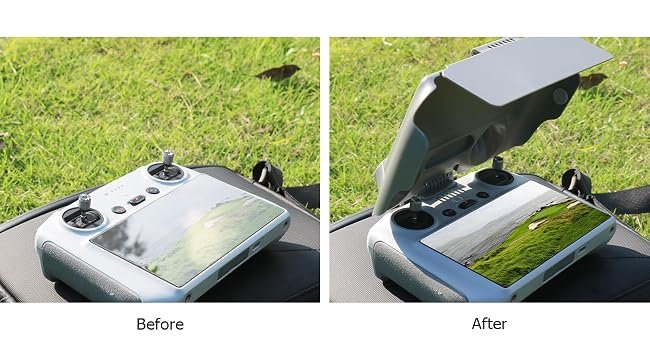
Stay sun safe with these protective hoods and neck lanyards for your drone!- What it is: A folding plastic or leatherette visor that clips around the edges of the RC 2 or your smartphone to block out ambient light.
- Why it matters: It shields the screen from direct sunlight, reducing reflections and glare without requiring you to turn the screen brightness up to maximum, which drains the controller battery faster.
- Who should buy it: Outdoor landscape shooters and pilots who work in mid-day sunlight.
- When you actually need it: During cloudless mid-day flights.
- Essential or Optional: Optional.
Pros:
- Improves screen readability in harsh light.
- Helps reduce controller battery drain by letting you keep the screen brightness at a reasonable level.
Cons:
- Can look bulky and feel a bit awkward when mounted on the controller.
- Limits easy access to screen corners on some designs.
Accessories Worth Buying for Travel
Traveling with a drone is a fantastic way to capture unique perspectives, but it presents logistical challenges, especially when flying on commercial airlines.
- LiPo Safe Bags: Most commercial airlines require lithium polymer (LiPo) batteries to be packed in carry-on luggage, and many demand they be stored in individual, fire-retardant bags. LiPo safe bags protect against thermal runaway hazards.
- Multi-Port USB-C PD Charger: Rather than carrying separate charging bricks for your phone, camera, laptop, and drone, a single 65W or 100W GaN (Gallium Nitride) multi-port wall charger can power your DJI charging hub, controller, and phone simultaneously from a single outlet.
- Car Charger Adapter: For road trips and off-grid camping, a fast USB-C car charger (30W minimum) allows you to recharge drone batteries from your vehicle’s 12V auxiliary port between locations.
Accessories for Beginners
If you are a new pilot, your primary focus should be on protecting your drone from pilot error and getting comfortable with flight dynamics.
- 360-Degree Propeller Guards: These lightweight plastic cages wrap around the propeller arcs. If you drift into a wall, tree branch, or post, the guards absorb the impact and bounce off, rather than shattering the propellers and dropping the drone out of the air. Note: Prop guards will push the Mini 4 Pro’s takeoff weight over 249 grams, so you must register the drone before flying with them.
- DJI Care Refresh: While not a physical accessory, buying a DJI Care Refresh service plan is the most valuable protection you can get. It offers cheap replacements for water damage, flyaways, and crashes, which takes the stress out of your first few flights.
- Controller Silicone Cover: A thick silicone skin for your RC 2 controller provides a better grip and protects the casing from scuffs and impact damage if dropped.
Professional Filming Accessories
For creators looking to push the image quality of the Mini 4 Pro to its limits, certain specialty optical tools are highly useful.
- Anamorphic Lens Adapter: A specialty optical lens attachment that squeezes light horizontally onto the sensor. This creates a wider cinematic aspect ratio (usually 2.40:1) with unique horizontal lens flares, giving your footage a high-end film look.
- Combination ND/PL Filters: These combine neutral density light reduction with circular polarization. They allow you to control your shutter speed while simultaneously cutting through water surface glare, deepening blue skies, and reducing reflections on foliage.
- High-End Monitor Mounts: For professional shoots where a director or client needs to see the live feed, using a HDMI-out adapter or dedicated receiver to output the DJI RC 2’s feed to a large production monitor is an invaluable workflow addition.
Official DJI vs. Third-Party Accessories
When shopping for gear, you will face a choice: pay premium prices for official DJI-branded accessories, or save money by buying from third-party manufacturers like Freewell, PolarPro, SunnyLife, or STARTRC.
Official DJI Accessories
DJI accessories are engineered alongside the drone. They offer guaranteed compatibility, seamless integration with firmware updates, and high build quality.
However, they are expensive and DJI’s accessory lineup is somewhat limited (for example, they only sell basic ND filter sets and standard carrying bags).
Third-Party Accessories
Third-party brands fill the gaps left by DJI. Brands like Freewell and PolarPro are highly regarded for their optical glass, offering specialized filter kits (such as variable NDs, anamorphic lenses, and light-pollution filters) that DJI does not produce.
The Verdict: Buy official DJI products for core mechanical and electronic components (such as batteries, chargers, and propeller blades). Turn to reputable third-party brands for optical filters, carrying cases, landing pads, and lanyard mounts, where they often offer more specialized options at a lower price point.
Accessories You Can Skip
Not every drone accessory on the market is worth your money. Some add unnecessary weight, while others can degrade your drone’s performance or violate regional regulations.
- Signal Boosters (Yagi Antennas): These slide-on metal elements claim to extend your controller’s range. In reality, the Mini 4 Pro’s built-in O4 transmission system is incredibly robust. These cheap slide-on antennas can actually distort signal patterns, reduce reception quality, and are largely unnecessary.
- Heavy Landing Gear Extensions: Plastic legs that snap onto the bottom of the drone to raise its height seem useful. However, they alter the drone’s center of gravity, increase drag, catch the wind, and add weight that pushes the drone over the critical 249g threshold. A simple folding landing pad is a far safer and more effective option.
- Full-Body Decal Skins: While aesthetic vinyl wraps personalize your drone, they add weight, can block heat-dissipation vents, and can peel at high speeds, potentially interfering with propeller clearance.
Fly More Combo vs. Buying Accessories Individually
If you haven’t bought your drone yet, or are considering an upgrade, you might wonder if the DJI Mini 4 Pro Fly More Combo is worth the extra upfront investment compared to buying accessories ala carte.
FLY MORE COMBO VALUE BREAKDOWN
| Item Included | Individual Retail Value |
|---|---|
| 2× Intelligent Flight Batteries | ~$130 |
| Two-Way Charging Hub | ~$60 |
| DJI Shoulder Bag | ~$40 |
| 3× Spare Propeller Pairs | ~$30 |
| Estimated À La Carte Value | ~$260 |
| Fly More Combo Price Premium | ~$170 |
| Estimated Savings | ~$90 |
The Verdict on the Fly More Combo
If you plan to fly for more than 25 minutes at a time, the Fly More Combo is an exceptional value. The cost of buying two extra batteries and a charging hub individually easily exceeds the premium price of the combo.
However, if you already have a high-end camera backpack and only need a single extra battery, buying ala carte can save you money and keep your gear kit minimal.
Frequently Asked Questions
Do Mini 3 Pro accessories work on the DJI Mini 4 Pro?
Some do, but many do not. The batteries are physically compatible, but using Mini 3 batteries in the Mini 4 Pro changes the flight weight profile and can affect the battery level readouts. ND filters and hard cases are not interchangeable because the Mini 4 Pro has a redesigned, slightly larger camera gimbal housing and a revised fuselage layout.
Does adding accessories void the DJI Care Refresh warranty?
No, using third-party accessories like filters, landing pads, or cases does not void your DJI Care Refresh warranty. However, if a crash is directly caused by a faulty third-party accessory (like a heavy landing gear extension snapping off mid-flight), DJI may analyze the flight logs and deny standard warranty coverage, though you can still use your Care Refresh replacement credits.
Why do I need ND filters if the Mini 4 Pro has obstacle avoidance?
Obstacle avoidance keeps your drone from crashing, but it does not affect your camera exposure. Because the Mini 4 Pro has a fixed aperture, ND filters are the only physical tool available to slow down your shutter speed in bright sunlight, which is necessary to prevent choppy, amateur-looking video.
Does the Intelligent Flight Battery Plus make the drone illegal to fly?
No, but it pushes the takeoff weight over 249 grams (to around 290 grams). In the United States, this means you must register the drone with the FAA (which costs $5) and adhere to standard recreational or Part 107 regulations. In other regions, like Canada and Europe, crossing the 249g limit subjects you to stricter licensing and operational distance rules.
How do I safely clean my Mini 4 Pro’s camera lens?
Never use your shirt or a dry paper towel, as this can scratch the lens coating. Blow away loose grit using an air-blower bulb, brush away lingering dust with a soft lens brush, and then gently wipe the lens in a circular motion using a clean microfiber cloth and a drop of optical lens cleaning solution.
What microSD card speed is required for the Mini 4 Pro?
You need a card rated at U3 (UHS Speed Class 3) and V30 (Video Speed Class 30) or higher. These ratings guarantee a minimum continuous write speed of 30 MB/s, which is necessary to handle the Mini 4 Pro’s 100 Mbps 4K video stream without buffering or data corruption.
Are propeller guards necessary for outdoor flights?
Generally, no. Propeller guards are highly wind-resistant, meaning they act like sails. In outdoor conditions, wind can catch the guards and make the drone unstable or drift. Propeller guards are best used for indoor flights, close-quarters training, or when navigating tight, enclosed spaces with no wind.
Is the DJI RC 2 controller worth the extra cost over the RC-N2?
Yes. The DJI RC 2 features an integrated, high-brightness screen, dedicated antennas, and runs the DJI Fly App natively. This removes the need to connect your phone, manage cables, or worry about incoming phone calls interrupting your flight. It speeds up your setup and deployment time considerably.
Final Verdict
The DJI Mini 4 Pro is an outstanding drone on its own, but the right accessories unlock its full potential.
If you are on a budget and want to focus only on the essentials, start with these three acquisitions:
- A Set of Quality ND Filters (like Freewell or PolarPro) to control your shutter speeds.
- At Least One Extra Battery to extend your flight times past 25 minutes.
- A Sturdy Hard Case to protect your investment during transit.
By selecting accessories that fit your specific shooting style—whether that is lightweight travel, rugged hiking, or professional cinematography—you will ensure safer flights, a smoother workflow, and much better footage.
Pack your gear bag wisely, keep an eye on your takeoff weight, and enjoy the creative freedom of your Mini 4 Pro.