

Attach, power on, choose mode, aim well, record legally with consent.
I am traveler. I love to record and videos and capture photos when I travel. Today, I will show you how to use a mini body camera step by step. This guide is very simple and easy to follow. I will explain how to set up the camera, how to use the best settings, and how to wear or attach it properly.
I will also share some important tips from my personal experience. These tips will help you get clear, stable, and high-quality video every time. By the end of this guide, you will be able to use your mini body camera with confidence and capture your travel moments easily.

Understand your mini body camera: parts, features, and terms
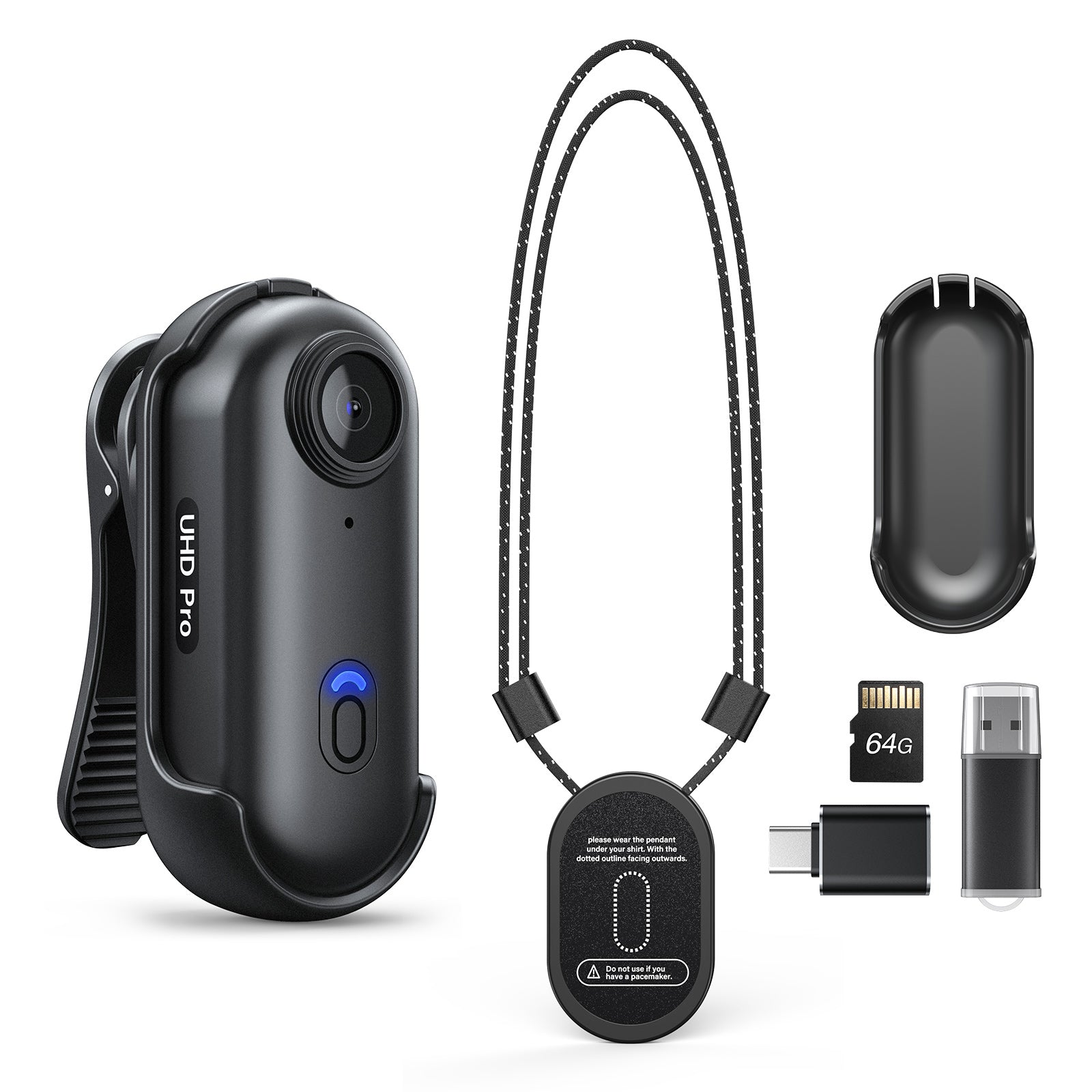
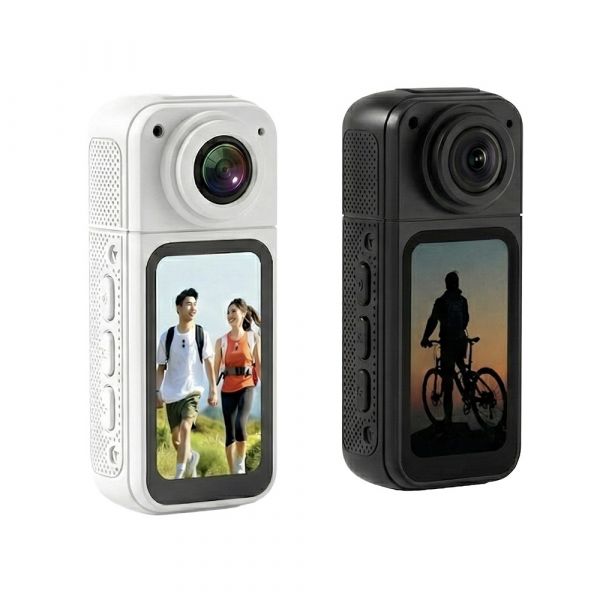
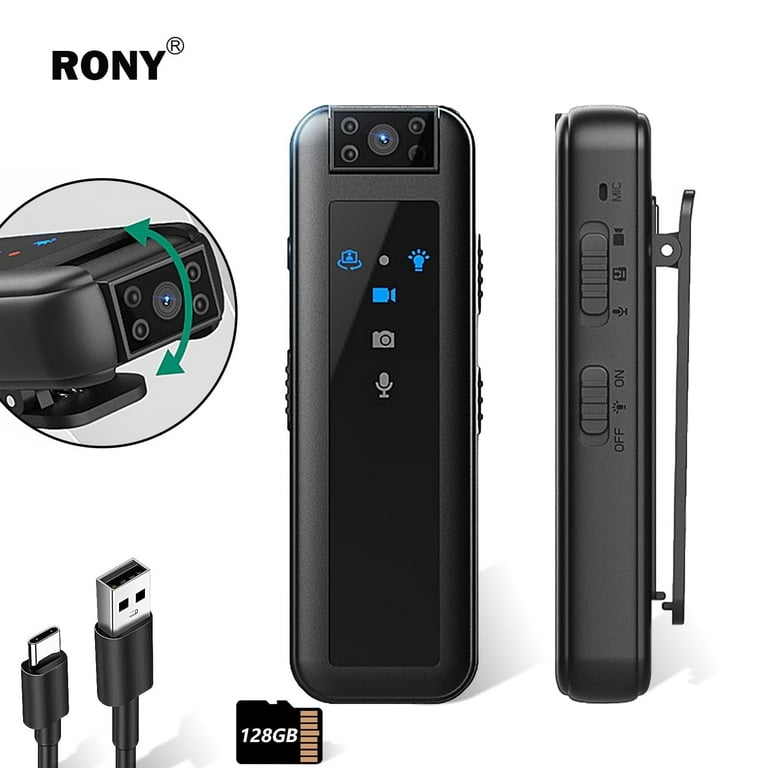
A mini body camera is a small, wearable camera that records video, and often audio, from a first-person view. Most models include a wide lens, a built-in mic, status lights, a clip or magnetic mount, and a memory card slot. Many also add Wi‑Fi or Bluetooth for app control, GPS tags, and encryption.
Key parts you should know before you learn how to use mini body camera gear:
- Lens and sensor capture the scene. Keep them clean.
- Status LED and buzzer show power and recording. Do not disable them if law or policy requires alerts.
- Buttons include power, record, and mode. Practice them by touch.
- Ports and storage include USB‑C and microSD. Some models have built-in storage.
- Mounts include clip, magnet, lanyard, and strap. Test each for your workflow.
In my field setups, speed comes from muscle memory. I train users to power on, check the LED, and tap record without looking down. That habit saves shots.

Quick start: how to use mini body camera in 10 steps
Learning how to use mini body camera devices is easy with a simple routine. Use these steps before any shift or trip.
- Charge the camera to 100 percent. Power it on to check the battery.
- Insert a high-speed microSD card if needed. Format it in-camera.
- Set date and time. Sync with the app for accurate logs.
- Choose resolution and frame rate. For most, 1080p at 30 fps is enough.
- Turn on audio if local law and policy allow it.
- Pick a mount. Clip it to a stable spot like a chest pocket or strap.
- Aim the lens slightly up. Do a 10-second test clip and review.
- Turn on image stabilization if you walk a lot.
- Start recording only where it is legal and appropriate. Get consent when required.
- After use, stop recording, power down, and back up files the same day.
Make this your daily preflight. It is how to use mini body camera tools with confidence and speed.

Mounting and positioning for clear footage
Good footage starts with a steady mount. The chest is stable and natural. A shoulder or backpack strap gives a higher angle and picks up more of the scene. A hat brim or glasses mount is light but can shake and capture head turns too fast.
Use these simple rules:
- Keep the lens clear of zippers, hair, and lanyards.
- Angle up 10 to 15 degrees to avoid only filming your hands.
- Use the shirt tug test. Move and see if fabric blocks the lens.
- Watch for magnet mounts near credit cards or devices.
- Do a rustle test. If audio sounds like sand, move the mic from fabric.
These small tweaks make a big difference when you learn how to use mini body camera gear in motion.
Recording modes, resolution, and audio settings
Pick modes that fit your scene. For long days, 1080p at 30 fps balances detail and battery. For sports or fast action, 60 fps reduces blur. In low light, avoid very high resolutions that raise noise. Use wide dynamic range if your model has it.
Useful features to master when you plan how to use mini body camera tools:
- Loop recording overwrites old clips. Use it for routine patrols with clear retention rules.
- Pre-buffer captures a few seconds before you press record. Great for sudden events.
- Motion detection saves storage when the scene is still.
- Audio gain should be low in loud places and higher in quiet rooms.
- Time and date stamps help with logs and reports.
Test different profiles in the same space. I record a minute at each setting and compare file size, noise, and motion blur. That is the fast path to knowing how to use mini body camera settings for your needs.

Legal, ethical, and privacy rules
Know your local laws before you press record. Some places require all parties to consent to audio. Other places allow one-party consent. Private spaces like bathrooms, locker rooms, or medical areas are often off-limits.
Follow these best practices:
- Never record where people expect privacy.
- Do not disable beeps or LEDs if notice is required.
- Post signs in workplaces if policy calls for it.
- Store, share, and delete footage under a clear retention plan.
- Do not edit clips that are evidence. Keep originals read-only.
This protects you and others and is central to how to use mini body camera devices in a safe and compliant way. When unsure, ask a lawyer or your compliance team.
Storing, managing, and securing your footage
Treat your files like important records. Offload the same day. Use folders by date and location. Add short notes so you can find key clips fast. If your model supports it, enable encryption and password locks.
A simple workflow I use:
- Copy files to a computer or secure cloud.
- Verify transfers by playing a few clips end to end.
- Keep two backups on different drives, plus the cloud when allowed.
- Redact or mute audio before sharing if needed for privacy.
- Keep a log with file names, date, and reason for recording.
Solid data hygiene is part of how to use mini body camera systems with trust and proof.

Battery life, charging, and power management
Most units last 60 to 180 minutes at 1080p. Wi‑Fi and high frame rates drain faster. Cold weather cuts battery life. Heat can trigger auto-shutoff. Plan for your longest shift, not your best day.
Save power with these tips:
- Turn off Wi‑Fi when not using the app.
- Lower screen brightness or turn off the preview.
- Use 1080p at 30 fps unless you need 60 fps.
- Carry a small power bank and a short cable.
- If the camera gets hot, pause, cool it, then resume.
Smart power habits are key to how to use mini body camera gear on long days without missed moments.
Troubleshooting and common mistakes to avoid
Many problems have simple fixes. If the camera will not turn on, charge it and try a 10-second hold on power. If files look jumpy, turn on stabilization. If the card is full or corrupt, format it in-camera after you back up.
Watch for these pitfalls:
- A smudged lens makes all video soft. Clean it often.
- A blocked mic gives muffled audio. Keep fabric away.
- Overheating leads to shutdown. Record in shorter bursts if needed.
- Bad time stamps break your logs. Sync the clock weekly.
- App pairing fails. Reset Bluetooth or Wi‑Fi and try again.
Avoid these traps and you will master how to use mini body camera tools in real work, not just in tests.

Maintenance and care for long life
A few minutes of care adds years to your device. Wipe the lens with a microfiber cloth. Use lens cleaner, not your shirt. Inspect clips and screws so you do not drop the camera mid-shift. Keep the unit dry according to its rating.
Best practices I teach:
- Update firmware only from the official app or site.
- Store the camera and cards in a small dry case with silica gel.
- Replace memory cards every year if you record daily.
- Label cards and batteries so you can rotate them.
This is a quiet part of how to use mini body camera gear, but it pays off when the red light turns on and the file saves.
Advanced tips and real-world use cases
Make the camera work for your scene. For delivery or rideshare work, chest mounts capture hand-offs and traffic. For training or coaching, a shoulder mount shows demos and keeps hands free. For solo travel, use a lanyard mount for comfort and fast access.
My field tip from many busy sidewalks:
- Use 1080p at 30 fps with stabilization on.
- Angle up a touch to avoid filming only torsos.
- Test audio before you start talking on camera.
- Keep a spare card and a tiny power bank in the same pocket.
This is how to use mini body camera setups like a pro, even if you are new to wearables.
Buyer’s checklist if you are still choosing a mini body camera
If you are still deciding, match the device to your job. Do not pay for features you will not use. Do not skip ones you need every day.
Look for:
- Clear video at 1080p or better in day and low light.
- Battery life that fits your longest shift.
- A field of view that is wide but not warped.
- Secure storage, encryption, and simple exports.
- A strong clip, magnet, or strap system.
- An app that pairs fast and stays stable.
- A water and dust rating that fits your weather.
- Good support, firmware updates, and a real warranty.
Picking right makes learning how to use mini body camera tech far easier from day one.
Frequently Asked Questions of how to use mini body camera
Can I use a mini body camera without telling people?
It depends on your local laws. Some places require consent for audio and even video, so check the rules and follow them.
Where should I mount the camera for the best results?
Chest height gives a stable, natural view. Shoulder or strap mounts add height and see over crowds but can tilt, so test angles.
What resolution should I use for daily recording?
Most users do well with 1080p at 30 fps. Use 60 fps for fast action and lower light settings when indoors.
How do I transfer and back up footage safely?
Use a card reader or USB cable, then copy files to a computer and a backup drive. Verify a few clips to be sure the transfer is clean.
How can I extend battery life during long shifts?
Turn off Wi‑Fi, lower resolution or frame rate, and reduce screen use. Carry a small power bank for safe top-ups.
Is it okay to turn off the status LED or beeps?
Only if your policy and local law allow it. Many regions require notice to people when recording is active.
How do I reduce wind noise on the mic?
Shield the mic from open airflow and use a foam or furry cover if supported. Mount behind a small edge like a jacket lapel.
Conclusion
Using a mini body camera well is a skill you can learn fast. Set up a simple routine, mount it right, pick smart settings, follow the law, and care for your gear. That is how to use mini body camera tools with trust, clarity, and ease.
Do one short test today. Build your workflow, then record only when it is right to do so. If this helped, subscribe for more guides, ask a question, or share your own tips in the comments.


