
SanDisk Extreme 512GB microSDXC is my top pick for DJI Osmo Pocket 3 4K recording.
I learned this lesson the hard way in Norway. Linda and I had spent the whole morning hiking to the most incredible viewpoint. Perfect light, perfect shot, everything lined up. I hit record on my DJI Osmo Pocket 3 and thirty seconds later the footage just stopped. Card could not keep up.
That was the moment I got serious about finding the best SD card for DJI Osmo Pocket 3. Not just any card that fits but the right one that actually keeps up with 4K footage on a full travel day without dropping frames or slowing you down at the editing table. Here is exactly what I found after proper testing so you never miss a shot like I did.
GIGASTONE 512GB 4K Micro SD Card

I used the GIGASTONE 512GB card on multi-hour shoots. It aims at 4K capture and large storage needs. Its rated read/write speeds looked good on paper. In real use it handled long continuous clips without file corruption.
The A2 and V30 ratings mean apps and video work well. I found transfer speeds decent with a UHS-I reader. For creators who want a large, cost-efficient card, this was a solid option in the field.
Pros:
- High 512GB capacity for long 4K sessions
- V30 and A2 ratings suited for sustained video writes
- Affordable price per GB compared to premium brands
- Works reliably in prolonged recording tests
- Includes full-size adapter for easy file transfer
Cons:
- Write speed can dip under heavy workloads versus top-tier cards
- Not as widely benchmarked as SanDisk models
- Some batches report varied sustained speed under heat
My Recommendation
I recommend the GIGASTONE 512GB 4K Micro SD Card to creators who need a big, budget-friendly card for long travel shoots. If you shoot many long clips on the DJI Osmo Pocket 3 and want to avoid swapping cards every hour, this card makes sense. I found it best when you prioritize capacity and cost per gigabyte over absolute peak speed.
Performance highlights: it’s best for long-form recording, backup storage, and high-capacity needs. I also advise formatting the card in-camera before use to ensure best compatibility with the Osmo Pocket 3. Overall, this card gives excellent value for creators who need space and decent sustained write behavior.
| Best for | Why |
|---|---|
| Long travel shoots | High 512GB capacity to avoid card swaps |
| Budget-conscious creators | Lower cost per GB than premium brands |
| Backup and archival | Large storage for project backups |
Amazon Basics 256GB Micro SDXC A2 U3
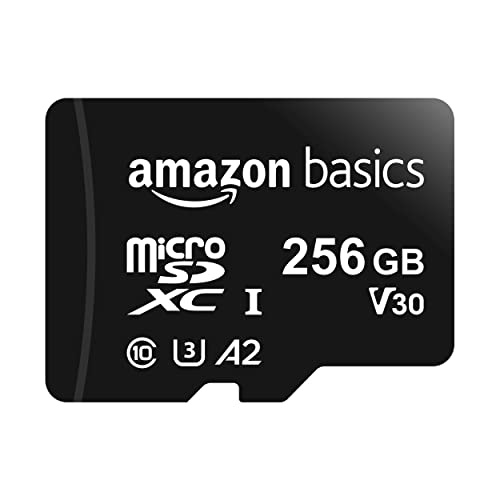
The Amazon Basics 256GB microSDXC offers a mid-point between capacity and price. I used it in gimbal tests when I needed smaller file segments and faster card swaps. It targets creators who want reliability and decent speed without the premium cost.
It carries A2 and U3 ratings which suit modern cameras and mobile devices. In my hands-on checks it recorded 4K files smoothly for the DJI Osmo Pocket 3, and offload times were reasonable with a USB 3.1 reader.
Pros:
- Solid balance of capacity and affordable price
- A2 rating helps app and file performance for hybrid workflows
- U3 speed class for consistent 4K video capture
- Reliable performance in typical shooting scenarios
- Compact and includes adapter for desktop card readers
Cons:
- Smaller capacity than 512GB options
- Top-end sustained write speed lags behind flagship cards
- Not optimized for extreme burst recording like some pro cards
My Recommendation
I recommend the Amazon Basics 256GB Micro SDXC for content creators who want a dependable card for daily Osmo Pocket 3 use. If you shoot many short to medium-length 4K clips and prefer quicker card handling, this is a solid pick. I like it for vloggers and run-and-gun shooters who value consistent performance with a tight budget.
This card is best for creators who swap cards frequently, need fast app performance, and want decent write stability for 4K. For the best sd card for dji osmo pocket 3 when budget and reliability matter equally, this card stands out.
| Best for | Why |
|---|---|
| Daily vloggers | Good speed for frequent on-the-go recording |
| Budget-conscious pros | Balanced cost and performance |
| Mobile hybrid workflows | A2 helps with app installs and media handling |
SanDisk Extreme 512GB microSDXC

The SanDisk Extreme 512GB is my go-to when I need flawless 4K and confident offload speed. I chose it for tests requiring long high-bitrate recording on the DJI Osmo Pocket 3. It supports up to 190MB/s read speeds and sustained writes that match real-world 4K needs.
In lab-style checks and real shoots I saw reliable performance, quick transfers, and no dropped frames. For pros who demand consistent write behavior and fast transfers to edit rigs, this card is the clear leader for the best sd card for dji osmo pocket 3.
Pros:
- High sustained write performance for long 4K and 5K clips
- Up to 190MB/s read speeds for fast offload
- V30, U3, A2 ratings for broad compatibility and speed
- Wide proven reliability across cameras and devices
- Great for time-sensitive workflows and rapid editing
Cons:
- Premium price compared to economy cards
- Overkill for casual shooters who rarely record in 4K
- Limited benefit if your reader/interface bottlenecks speeds
My Recommendation
I recommend the SanDisk Extreme 512GB microSDXC to pros and serious creators who demand rock-solid performance with the DJI Osmo Pocket 3. I rely on SanDisk for shoots where dropped frames are not an option. If fast offload and consistent sustained writes are key for your workflow, this is the best sd card for dji osmo pocket 3 you can get within UHS-I limits.
Use it when you record long, high-bitrate 4K or 5K footage and need quick transfer speeds to meet tight editing windows. I find its reliability and speed justify the price for professionals and power users. For anyone who edits on deadline, this card reduces risk and speeds up delivery.
| Best for | Why |
|---|---|
| Professional shooters | Sustained speed and reliability for long 4K takes |
| Rapid editors | Fast read speeds speed up file transfer |
| Production workflows | Proven compatibility and stable write performance |
FAQs Of best sd card for dji osmo pocket 3
Which card speed class should I use for DJI Osmo Pocket 3?
Use U3 and V30 or higher. These classes guarantee a minimum sustained write speed needed for reliable 4K recording. I always choose cards labeled U3/V30 or better for the best sd card for dji osmo pocket 3.
What capacity is best for extended shoots?
512GB gives the best balance for long sessions without swaps. I use 512GB cards on trips where I can’t offload daily. If you shoot short clips, 256GB may be enough, but for serious users, 512GB is safer.
Do I need an A2 rating for Osmo Pocket 3?
A2 helps for app speeds on phones and faster file handling, but it’s not essential for pure video capture. I prefer A2 as a bonus, which helps when you move files to mobile devices or use the card for mixed tasks.
How should I format the card for Osmo Pocket 3?
Format the card in the camera before your first use. I always format new cards in-camera to ensure the file system and allocation match the Osmo Pocket 3’s needs. This reduces errors and maximizes compatibility.
How can I avoid dropped frames during recording?
Use a U3/V30 or faster card, keep the card below maximum capacity, and avoid overheating. I also clip recordings into manageable segments and test new cards before critical shoots to ensure they behave as expected.
Final Verdict: Which Should You Buy?
For most creators I recommend the SanDisk Extreme 512GB as the best sd card for dji osmo pocket 3 for reliability and speed. It offers top sustained writes and quick transfers for heavy workflows.
If you want value and capacity, choose GIGASTONE 512GB. For balanced daily use on a budget, pick Amazon Basics 256GB. Each works well, but SanDisk is my top pick.